Element Library
The Element Library allows you to create, manage, and reuse core building blocks across your budgets. Elements can be saved directly from a budget and applied later to streamline future projects.
Library categories include Line Types, Phases, Tax & Fringes, Universals, Tags, Budget Units, and the Chart of Accounts.
Line Types
Line Types define the nature of each transaction in your budget. Every line item is assigned a line type, enabling accurate reporting, filtering, and cost analysis.
They help categorize spending — for example, Labor, Rentals, or Purchases.

Phases
Phases represent the stages of production within a budget.
They help organize costs into logical segments — for example, Pre-Production, Production, and Post-Production — improving visibility and tracking.

Tax & Fringes
Tax & Fringes track costs or benefits applied in addition to base expenses, such as labor burdens, incentives, or statutory charges.
You can create and manage custom Tax & Fringe elements, or browse the Tax & Fringe Library — a comprehensive collection of global tax and fringe structures that can be imported directly into your budgets.

Universals
Universals are reusable variables that store a value once and reference it throughout the budget. This ensures consistency and simplifies updates, since a single change automatically applies everywhere the variable is used.
Use the Universals screen in the Element Library to create and maintain variables for values you use repeatedly across budgets.

Tags
Tags allow you to label and track items across your budget for filtering, instant cost reporting, and improved analysis. Tags make it easy to locate and evaluate related data.
With Set Tags, you can also track costs associated with individual sets throughout the budget.

Budget Units
Budget Units define the measurements used within a budget. These units appear in the Units column of detail lines and can also be referenced by elements such as Tax & Fringe, Incentives, and Universals.
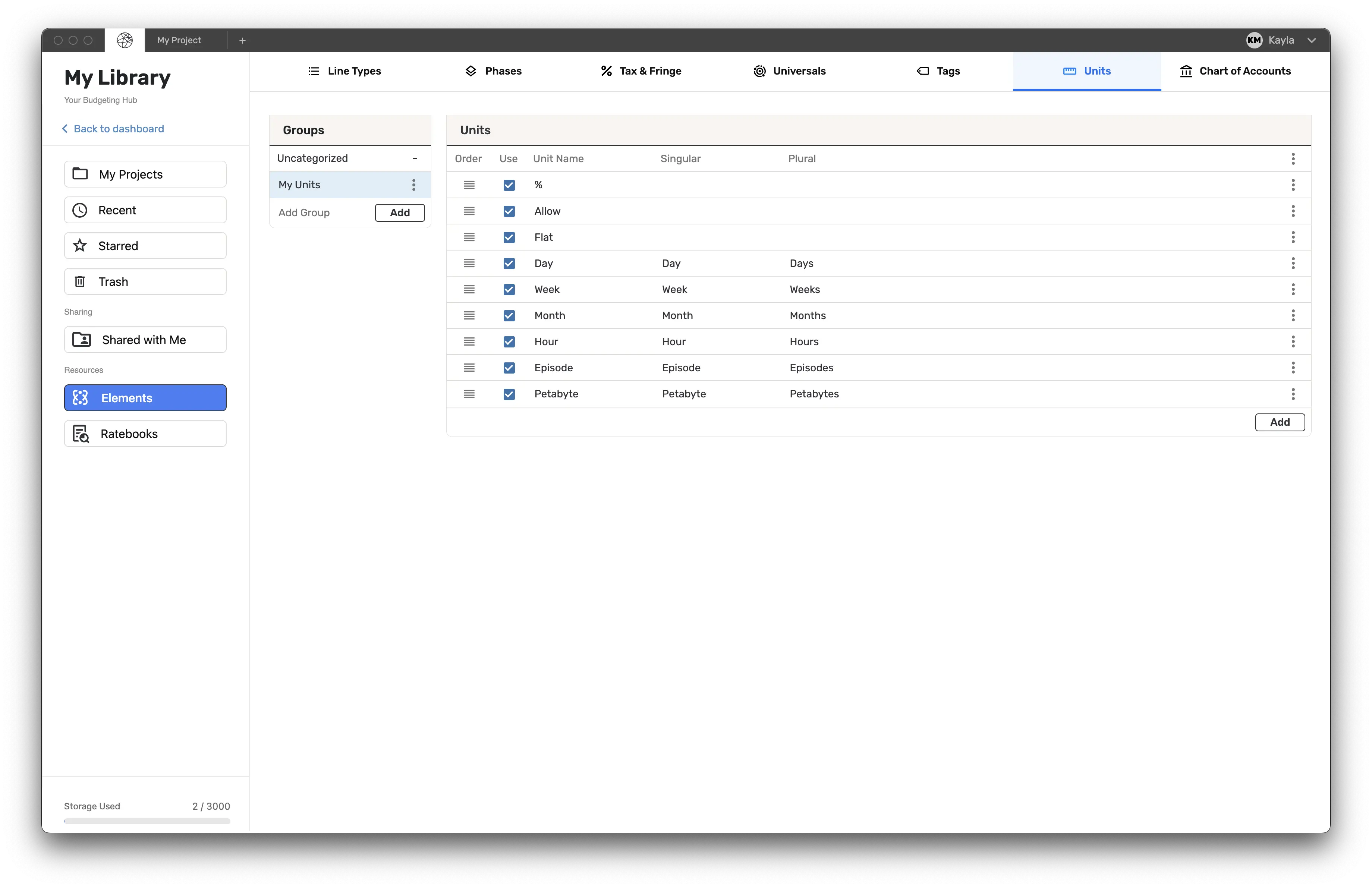
Chart of Accounts
The Chart of Accounts (COA) allows you to save, refine, and reuse your preferred COAs across budgets.

Within the COA screen in the Element Library, you can:
- Add or modify major, minor, and sub accounts
- Adjust cast, crew, and vendor position counts
- Configure line types
- Define account numbering and formatting
To begin modifying a COA, first save one from an existing budget, then return to this screen to make adjustments.